Everything your Pi should have told you.
A desktop app for Raspberry Pi OS that answers the questions a new Pi owner has and does the routine admin jobs without a terminal. Simple by default, detailed when requested.

A new Raspberry Pi arrives with a desktop and a terminal, and most of the things you want to know about it live in the terminal.
Is it connected? Is it running hot? Are there updates waiting, and are any of them security fixes? What is that USB device, and did the Pi even see it? Every one of these has an answer, but the answer is a command to look up, run, and then read carefully.
Pi OS+ was built so the Pi tells you these things itself, in plain English, on one screen. It also does the small admin jobs that keep sending people back to the terminal: installing updates, turning SSH or VNC on and off, installing an app, checking what is listening on the network.
Nothing is hidden. When Pi OS+ does something on your behalf, a Technical details panel shows the exact command it ran. Simple for the first week; still honest once you know what you are doing.
Screens from a Raspberry Pi 5 running Raspberry Pi OS 64-bit (Debian 13).
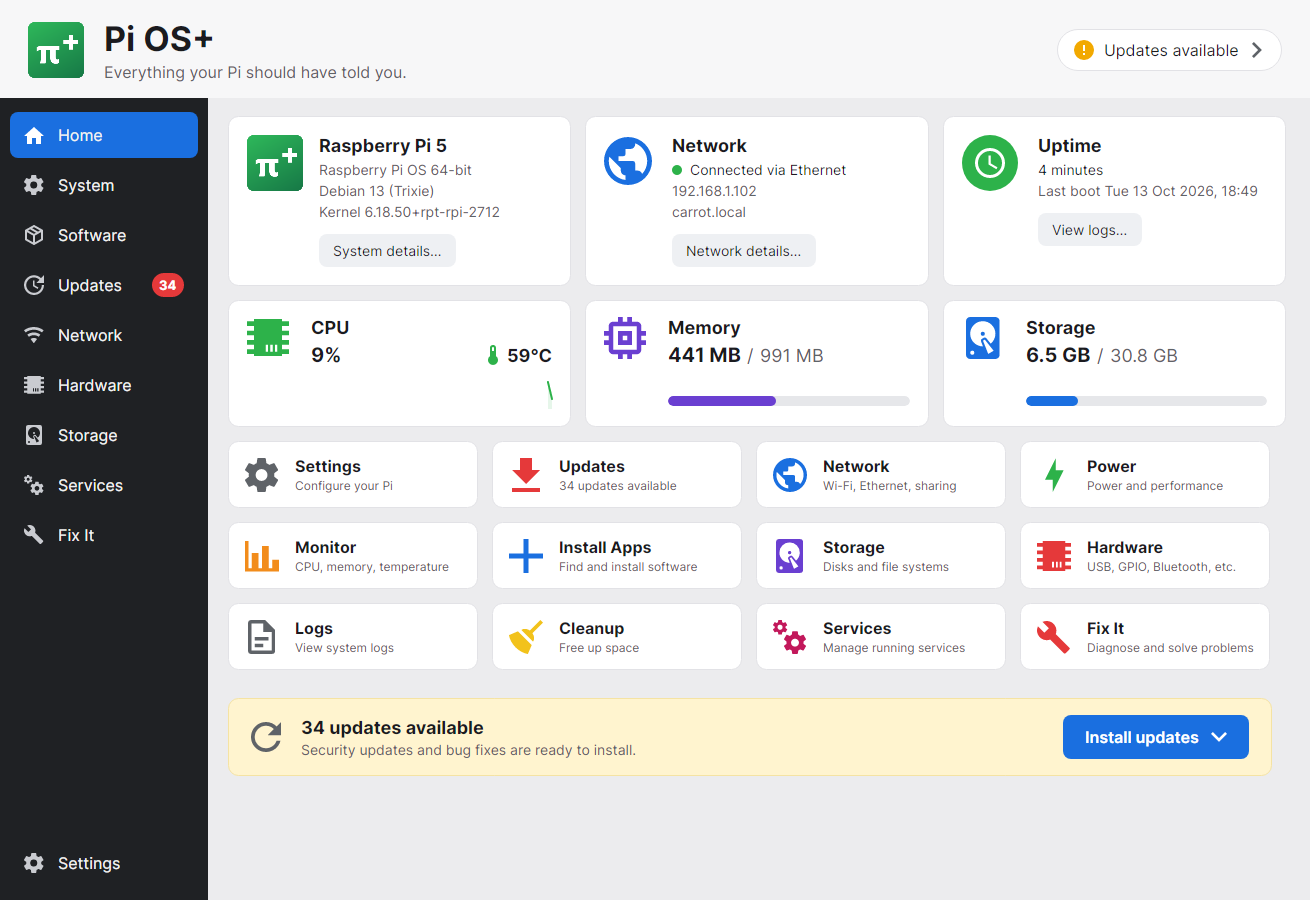
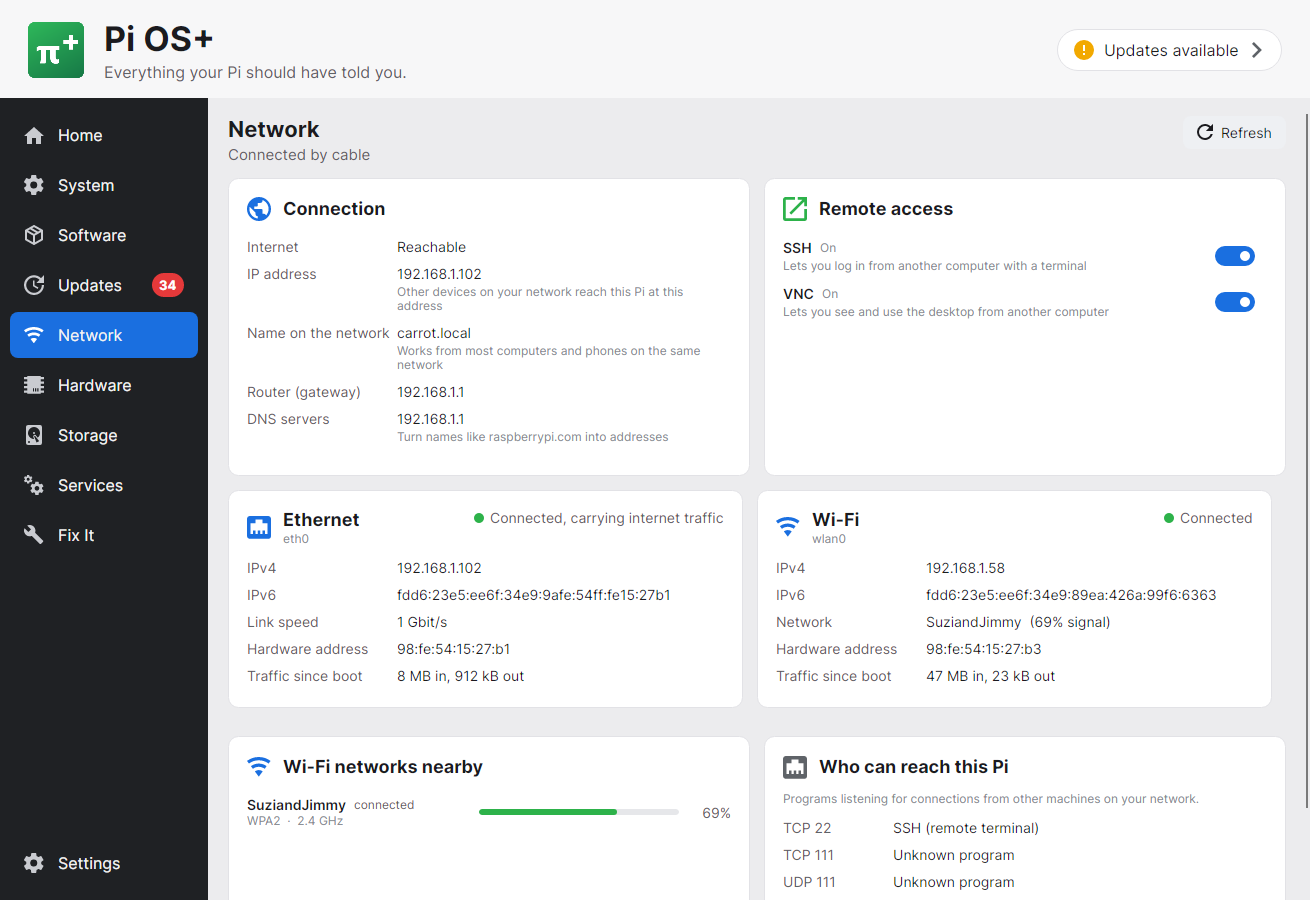
Everything on the Home screen opens a page that goes one level deeper, and no deeper than you ask.
Model, OS, network, uptime, CPU, temperature, memory and storage at a glance, with a health summary that links to whatever needs attention.
Board revision decoded, serial, firmware, per-core load, clock speed, and throttling flags explained in plain English. Reboot, shut down, change hostname and time zone.
Pending packages with current and new versions and a Security badge. Install everything or security fixes only, with a live log and a history of past runs.
Ethernet and Wi-Fi details, gateway and DNS, an internet reachability check, SSH and VNC toggles, nearby Wi-Fi networks, and listening ports with the program behind each.
A curated catalogue of browsers, editors, media, education, development and utility apps with one-click install, plus a free-text search of everything apt knows.
USB devices by name, storage devices and partitions, I2C, SPI, serial and camera interfaces with toggles, Bluetooth, power readings and connected displays.
CPU, memory and temperature charts from a local history store, and system logs you can read without knowing which command produces them.
Security updates, low storage, high temperature, throttling, a failed service, under-voltage or a missing route turn the health pill from Everything OK to Attention needed.
One self-contained build for 64-bit Raspberry Pi OS. No runtime, no package manager setup, and a clean uninstall that can take its data with it.
Designed so the easy path is also the safe one.
Everything Pi OS+ shows you comes from places a normal user can already read: the kernel's own files, the network manager, the package database, and the Pi's firmware tools.
Anything that alters the Pi goes through a small helper with a fixed list of verbs, launched by the desktop's normal password prompt. The app never runs as root and never runs arbitrary commands.
Every action can be expanded to show exactly what was run. If you want to learn the commands, they are there; if you do not, they stay out of the way.
Samples, health events and update runs are kept in a small SQLite database in your home folder, so the charts and the update history survive a restart.
Pi OS+ is being built and tested on a Raspberry Pi 5 running Raspberry Pi OS 64-bit. A public download will appear here when it is ready for other people's Pis.
 Pi OS+